

Discounts are
an important part of sales because they can help businesses attract customers,
increase sales, and build stronger customer relationships. However, giving
discounts without checking their effect on costs and profit margins can reduce
profitability. Odoo 19 Sales makes this easier by allowing businesses to manage
discounts in a structured way while also checking their impact on margins.
Odoo 19 Sales provides multiple discount mechanisms to suit different pricing strategies and business requirements. The Line Discount allows users to apply a percentage discount directly to individual product lines, making it ideal for item-specific promotions or negotiated pricing. The Global Discount applies a uniform discount across the entire quotation or sales order, which is useful for seasonal offers or bulk customer incentives. Additionally, the Fixed Amount Discount enables users to deduct a specific monetary value from the total order, offering greater control when percentage-based discounts are not suitable. Together, these discount types give businesses the flexibility to design tailored pricing strategies while maintaining transparency.
Discount
management is only one part of the process. Businesses also need to understand
how discounts affect profitability. Odoo 19 allows users to review margin
information before confirming a quotation, helping sales teams understand the
financial effect of their pricing decisions. In this blog, we will explain how
to apply different discounts in Odoo 19 Sales and how to track their impact on
sales margins.
Before applying a discount, the Discounts feature must first be enabled in Odoo 19. Go to Sales > Configuration > Settings, find the Discounts option, enable it, and save the settings.
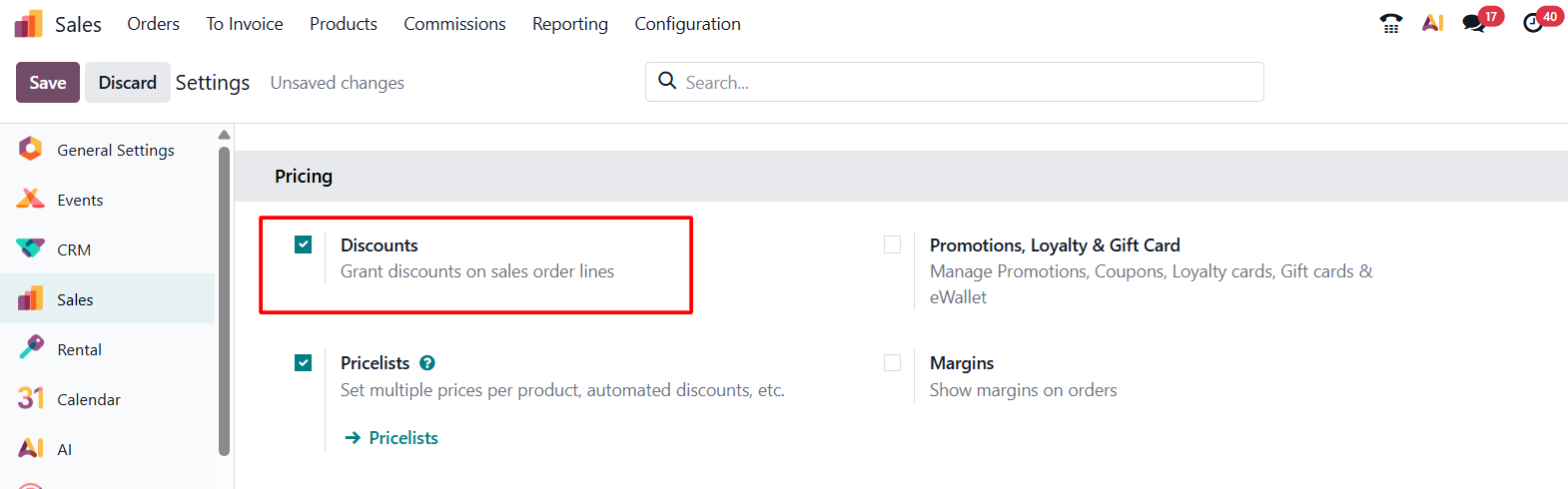
After the feature is enabled and the settings
are saved, discount options become available in the sales order workflow.
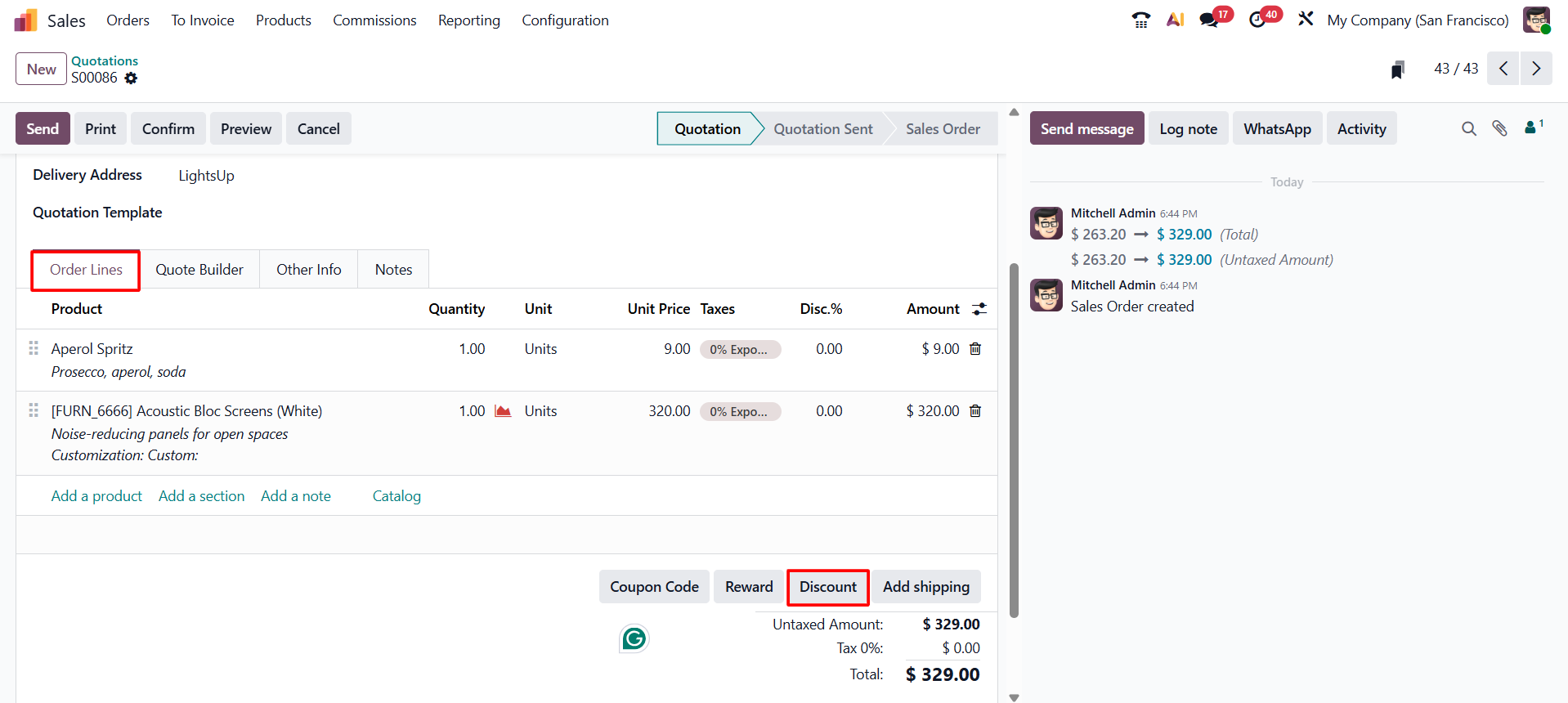
Once discounts are enabled, a Discount button becomes available in the sales order form. Create a sales order, select the customer, and add the required products. You can then use the available discount options to apply a discount to individual lines or to the complete order.
Line Discount
A Line Discount allows users to apply a percentage discount to products within a sales order. This is useful when different products need different discount rates. It can be used for negotiated prices, product-specific promotions, or special pricing for particular customers.
To apply a line discount, open the sales order and click the Discount button after enabling the Discounts feature.
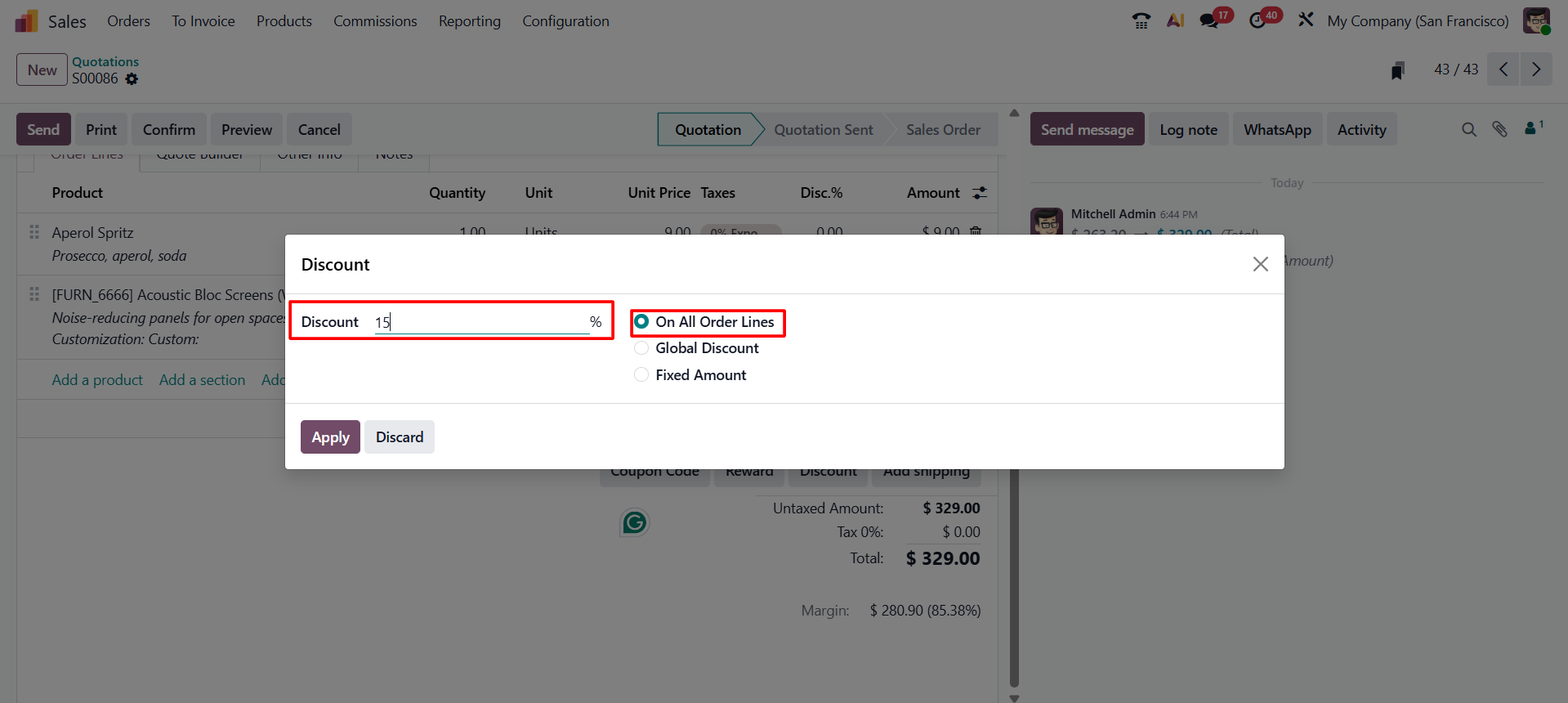
In the discount wizard, select the discount type as Apply on All Order Lines and enter the required discount percentage in the designated field. Once the Apply button is clicked, the specified percentage discount is automatically applied to each product line in the sales order, and the discounted values are reflected immediately.
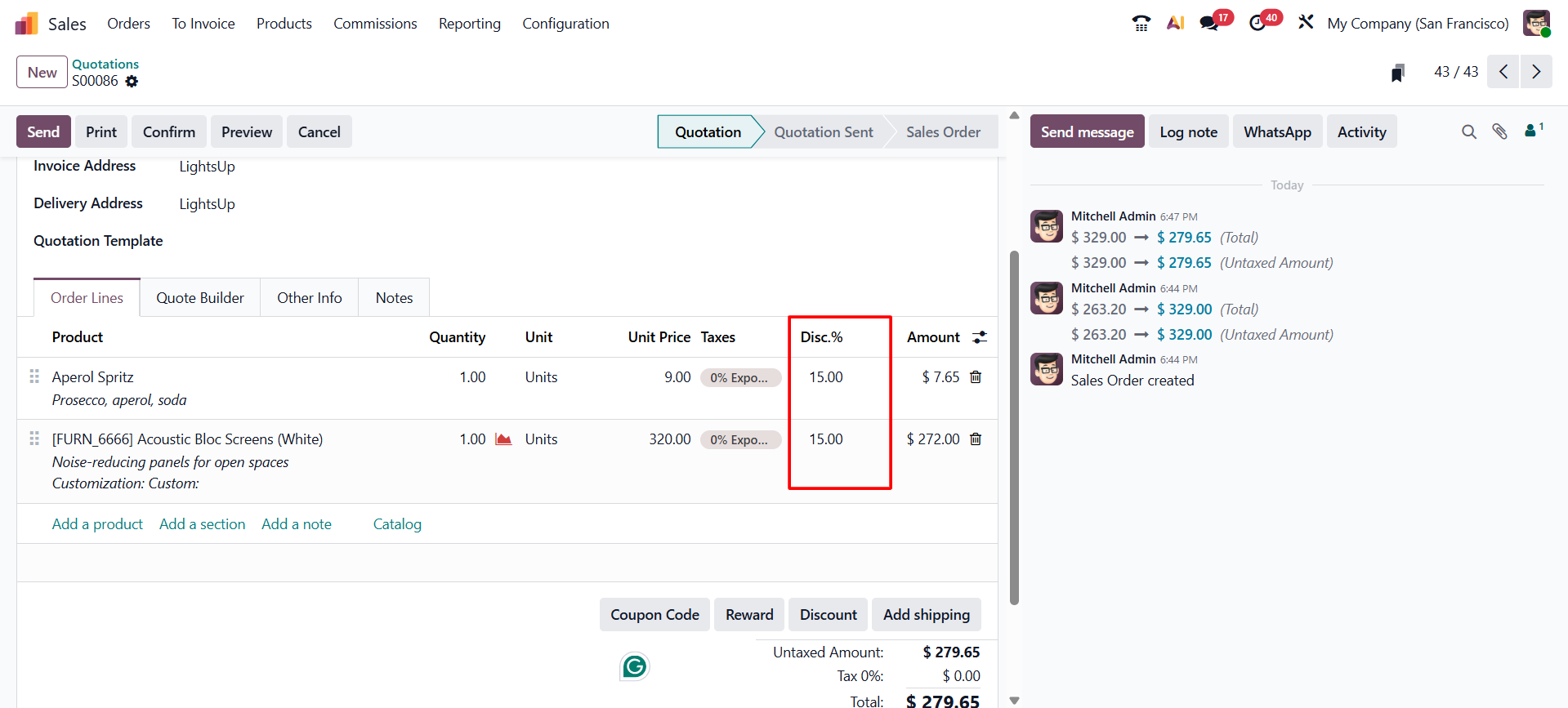
After applying the line discount, users can proceed to confirm the sales order and continue with the standard workflow, including delivery processing and invoice generation.
Global Discount
In Odoo 19 Sales, a global discount allows users to apply a single percentage-based discount to the entire sales order, instead of adjusting individual product lines. This approach is particularly effective for order-wide promotions, seasonal offers, or bulk purchase incentives where a uniform discount needs to be extended across all items in the order.
To apply a global discount, click the Discount button available on the sales order form.
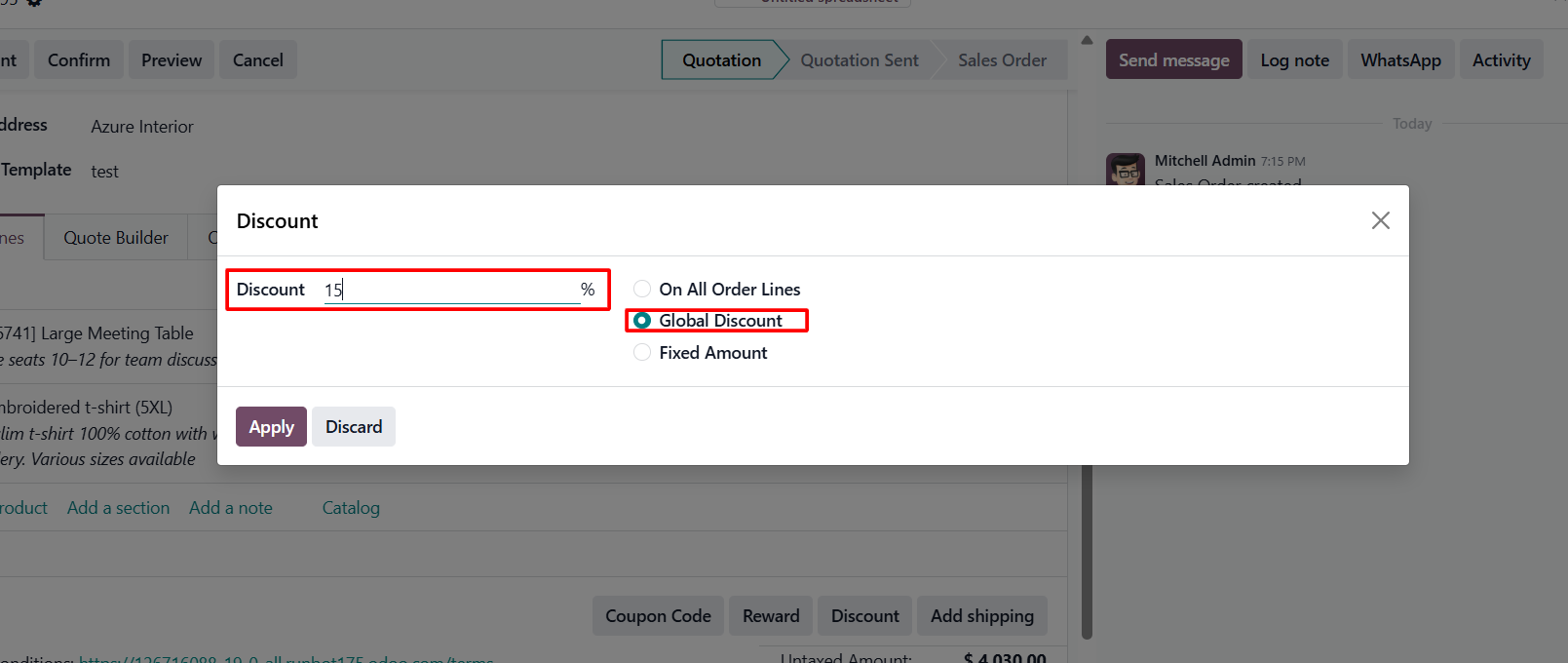
In the discount wizard, select Global Discount and enter the required percentage. Click Apply to activate the discount.
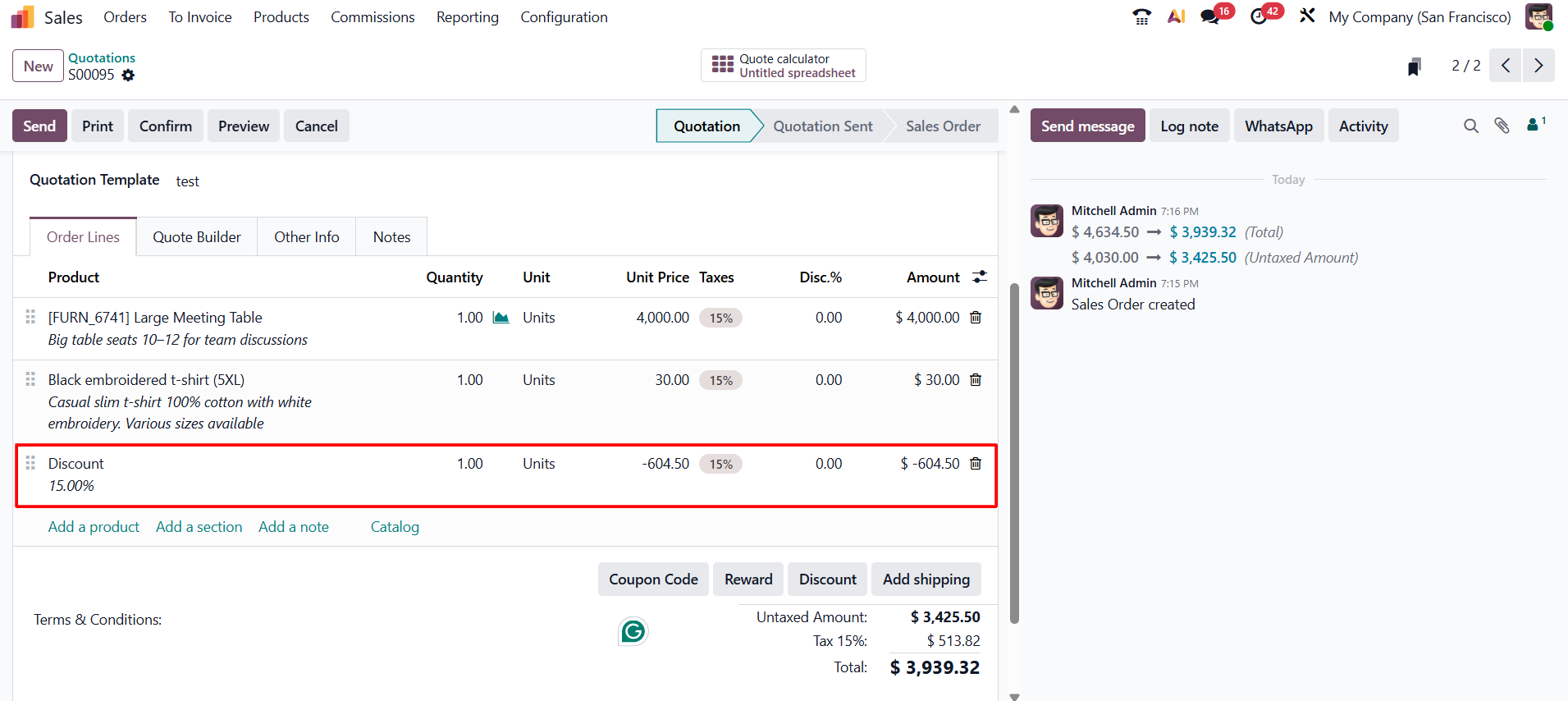
After the global discount is applied, Odoo 19 automatically recalculates the order totals and shows the updated discounted amount.
Fixed Amount Discount
A Fixed Amount Discount reduces the total sales order by a specific monetary value. Unlike a percentage discount, the exact amount to be deducted is entered by the user. This makes the discount easy to understand and is useful for special concessions, goodwill adjustments, or flat promotional offers.
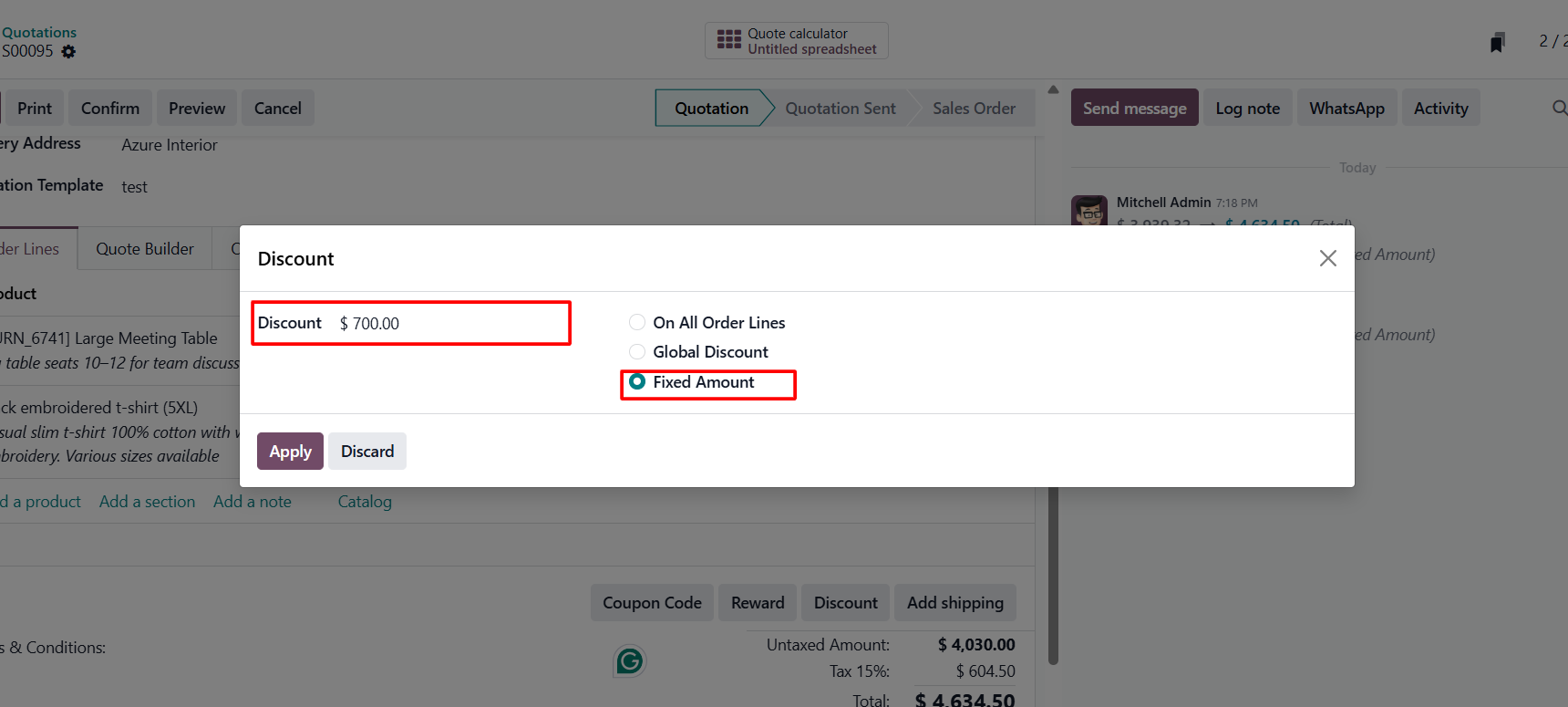
To apply a
fixed amount discount, click the Discount button in the sales order. Select
Fixed Amount in the discount wizard and enter the amount to be deducted. Click
Apply, and Odoo 19 will subtract the specified amount from the order total.
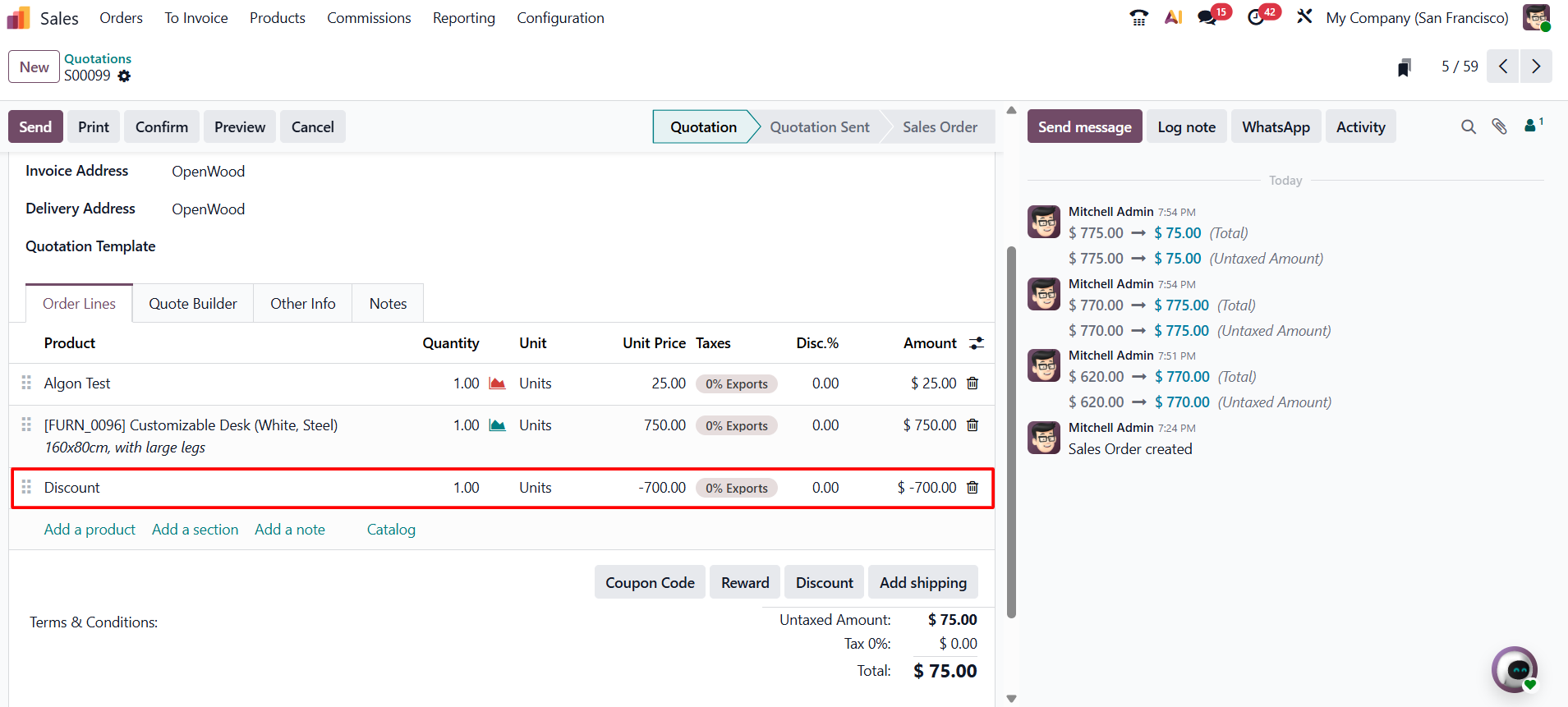
After the fixed
amount discount is applied, the updated order value is shown automatically.
Users can then continue with order confirmation, delivery, and invoicing.
Margins on Sales Orders
In Odoo 19 Sales, margin analysis helps businesses evaluate the profitability of each sales order by clearly showing the difference between the selling price and the cost of goods sold. This feature allows sales teams and managers to understand how pricing decisions and applied discounts affect overall profits, enabling more informed and strategic decision-making.
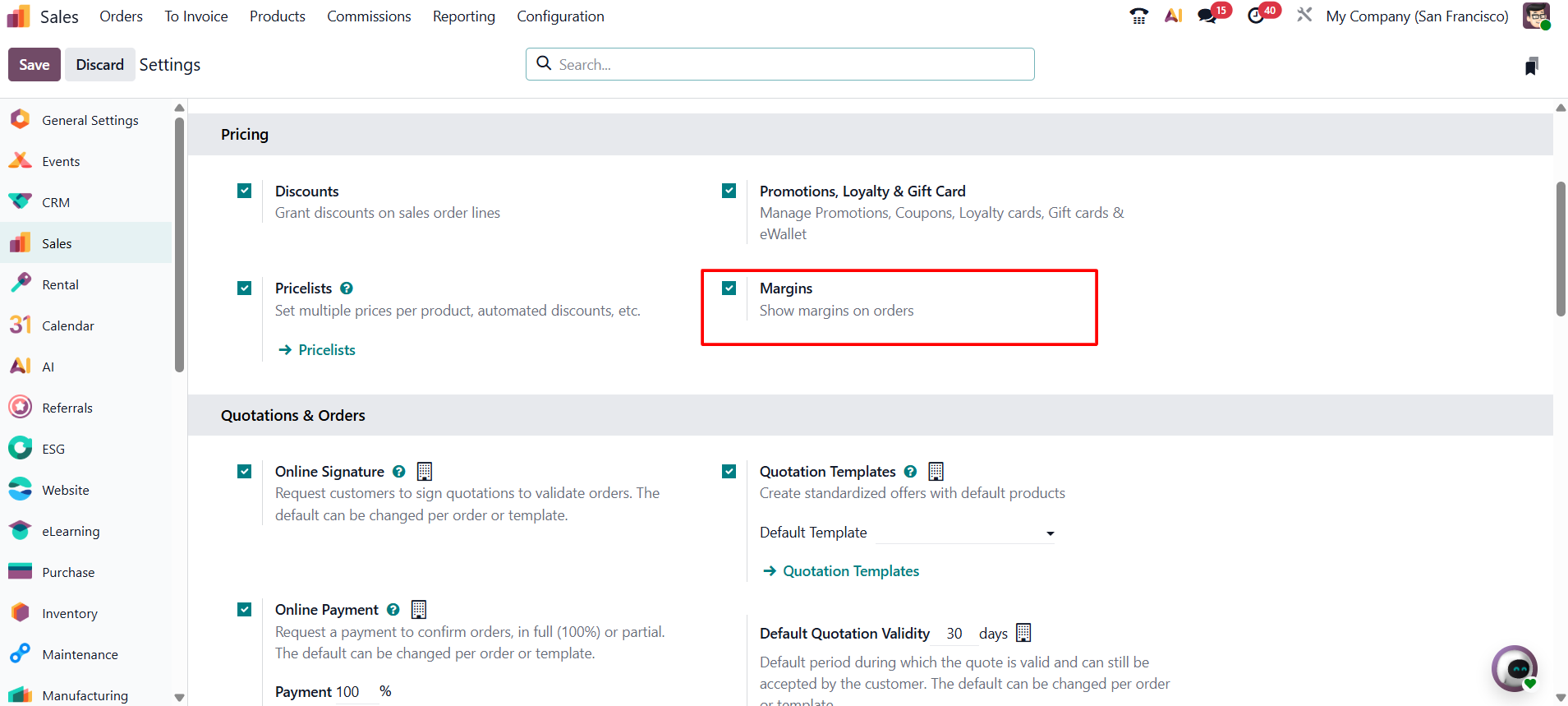
To analyze margins on sales orders, the Margins option must first be enabled from the Sales module settings. Navigate to Sales > Configuration > Settings, locate the Margins feature, and enable it. Once saved, margin-related information becomes available directly within the sales order interface.
After the
feature is enabled, Odoo 19 displays the total margin for the sales order
directly on the sales order form.
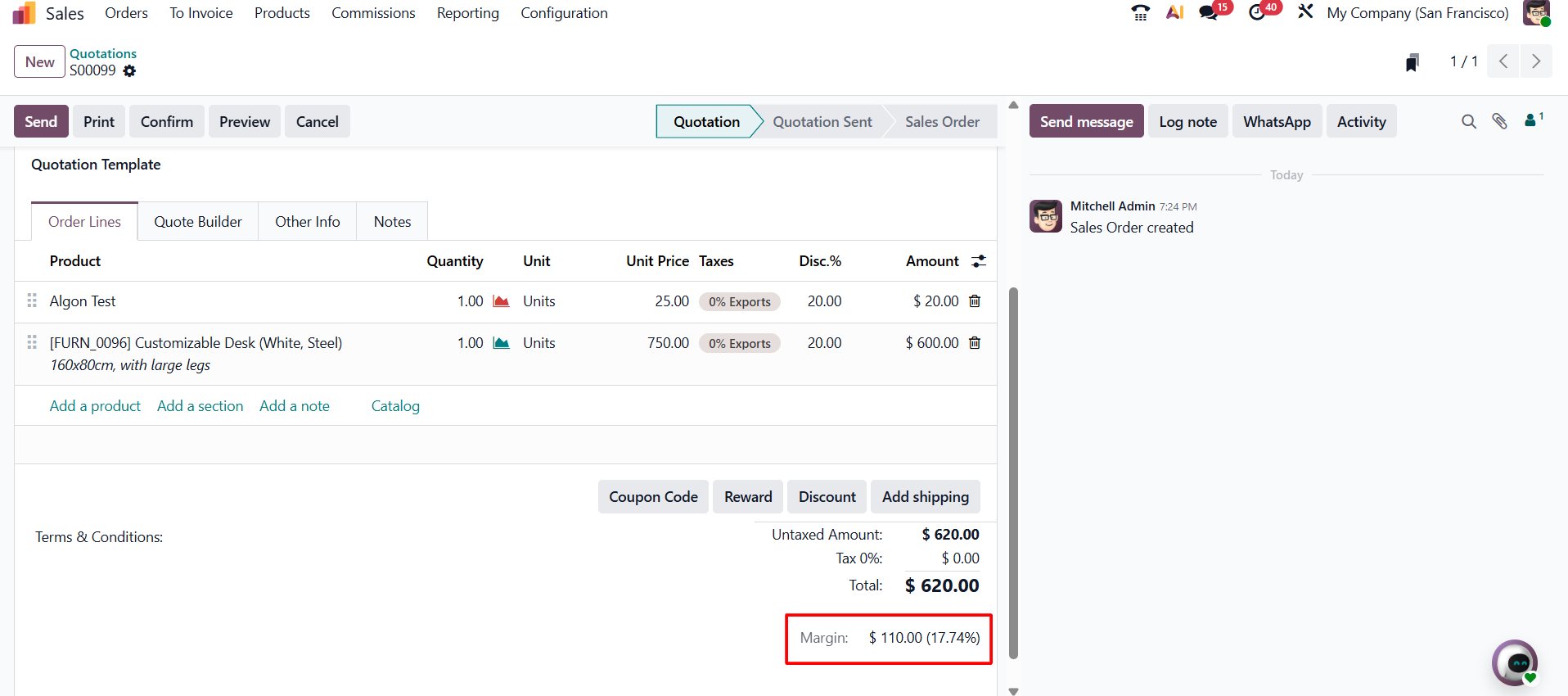
This gives
users a quick view of the order's expected profitability before confirmation.
Odoo 19 also provides margin information for individual products in the order
lines.
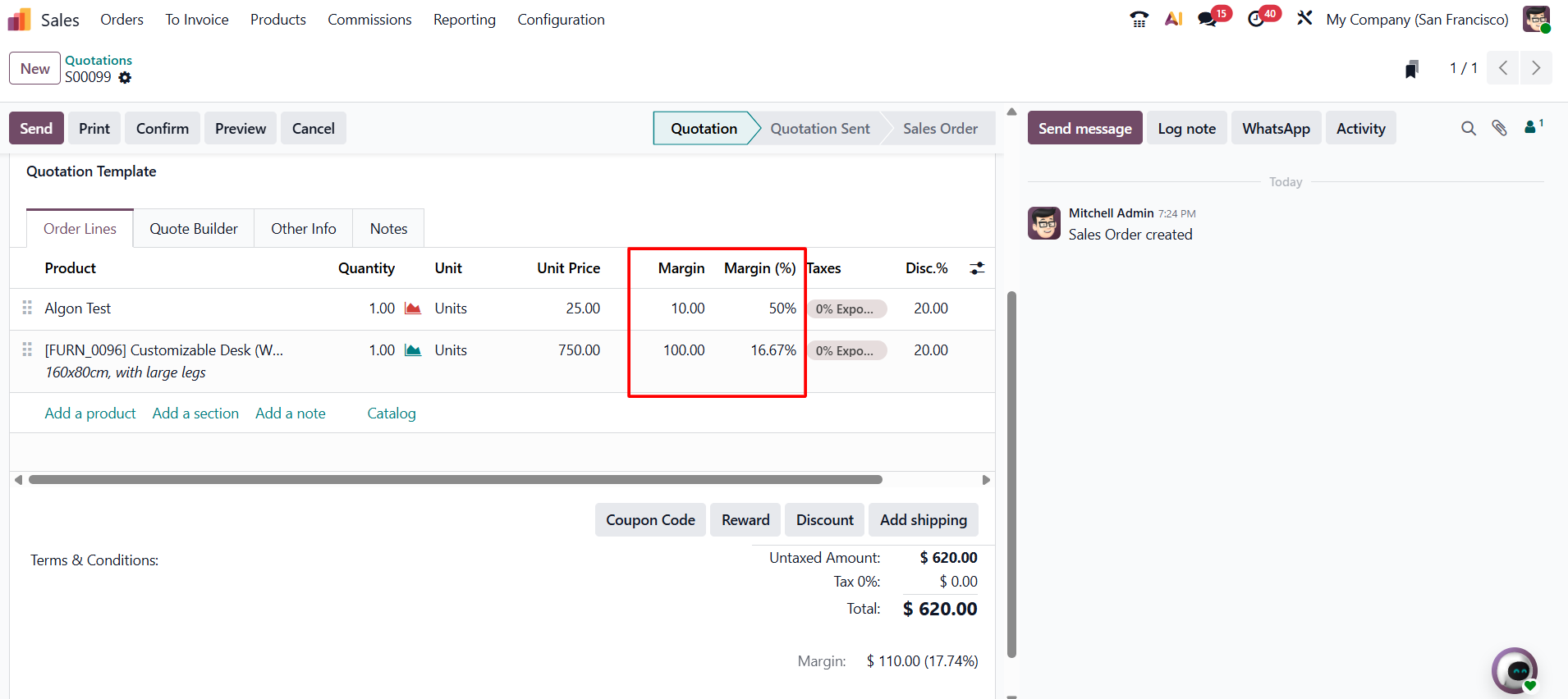
These margins are calculated based on the difference between the sales price and the product’s cost price, and they are displayed both as a monetary value and as a percentage. With this detailed margin visibility, users can easily analyze how individual products, discounts, and pricing adjustments impact profitability.
Managing discounts while maintaining healthy profit margins is important for every business. Odoo 19 Sales makes this easier by combining flexible discount options with built-in margin analysis. Line Discount, Global Discount, and Fixed Amount Discount give businesses different ways to manage pricing for different sales situations.
At the same time, the margin analysis feature makes the financial effect of discounts easier to see. By showing both order-level and line-level margins, Odoo 19 helps businesses review profitability, make better pricing decisions, and reduce the risk of giving discounts that negatively affect profit.
Odoo 19 Sales simplifies discount management while giving businesses better visibility into profitability. By using these features effectively, sales teams can manage customer discounts more confidently, make informed pricing decisions, and maintain better control over long-term profitability.